

Introduction
Technology has become an essential part of daily life, shaping how we work, learn, communicate, and entertain ourselves. From smartphones that keep us connected with friends and family, to cloud apps that allow teams to collaborate seamlessly across continents, technology touches almost every aspect of modern life.
Using technology wisely can enhance productivity at work, streamline learning with online resources, enable instant communication, and provide immersive entertainment experiences. Imagine attending a virtual classroom from your living room, managing your finances through an AI-powered app, or enjoying a movie on a smart TV that recommends content based on your tastes—these are just a few ways technology enriches daily routines.
In today’s fast-paced world, staying updated with tech trends isn’t just interesting—it’s necessary. Understanding innovations in AI, gadgets, cybersecurity, and digital services helps individuals and businesses make smarter decisions, stay safe online, and leverage technology for better outcomes.
Communication and Staying Connected

Technology plays a crucial role in keeping us connected, both personally and professionally. Whether it’s catching up with family, collaborating with colleagues, or networking with new contacts, digital tools make communication faster, easier, and more flexible than ever.
Tools for Staying Connected
- Messaging Apps: Platforms like WhatsApp, Telegram, and Signal allow instant text, voice, and multimedia sharing across the globe.
- Video Calls: Zoom, Microsoft Teams, and Google Meet make remote meetings, virtual gatherings, and online classes seamless and interactive.
- Emails: Email remains essential for professional communication, formal notifications, and detailed correspondence.
- Social Media: Platforms like LinkedIn, Instagram, and Twitter help maintain social connections, share updates, and expand professional networks.
Tips for Effective Digital Communication
- Be Clear and Concise: Whether texting, emailing, or posting, clear messages reduce misunderstandings and improve engagement.
- Use the Right Tool: Choose messaging apps for quick chats, emails for formal communication, and video calls for discussions requiring nuance or collaboration.
- Stay Professional Online: Maintain etiquette, even in casual platforms, especially when interacting in professional groups or communities.
- Leverage Multimedia: Emojis, images, and short videos can clarify tone and make messages more engaging—but use them thoughtfully.
- Respect Boundaries: Avoid sending messages outside working hours unless urgent, and set expectations for response times in professional contexts.
By using technology thoughtfully, you can maintain strong relationships, enhance collaboration, and stay connected even when distance separates you from colleagues, friends, and family.
Learning and Skill Development
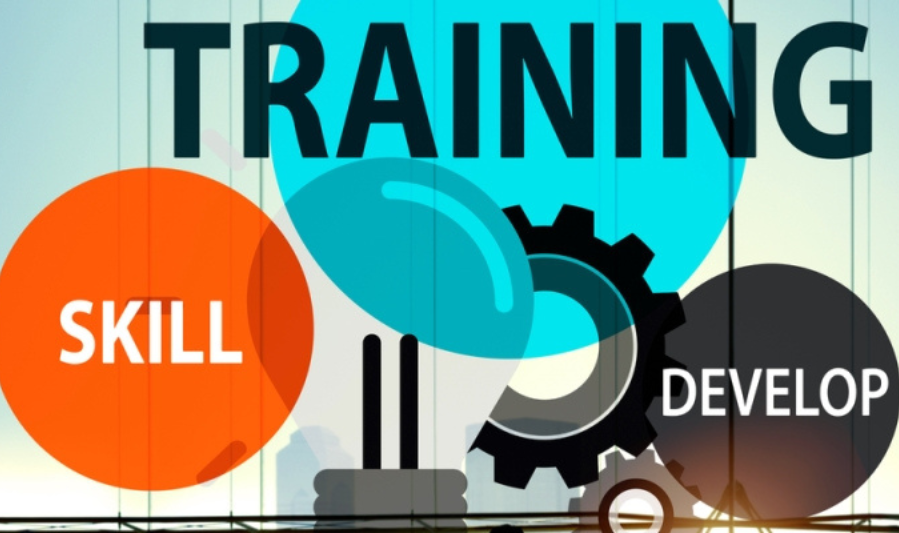
Technology has transformed the way we learn, offering access to knowledge anytime, anywhere. Online platforms, tutorials, and courses make it possible to acquire new skills, explore hobbies, or advance professional development without the constraints of traditional classrooms.
Online Learning Platforms and Courses
- Coursera & Udemy: Offer courses from top universities and industry experts on topics ranging from AI and programming to design and business.
- Skillshare: Focuses on creative skills such as graphic design, photography, and video editing, with project-based learning for hands-on experience.
- Duolingo: Makes language learning fun and interactive, using gamification to keep learners motivated and engaged.
Apps and Software for Education and Self-Improvement
- Khan Academy: Provides free lessons in math, science, and humanities for learners of all ages.
- Quizlet: Helps with memorization and study through flashcards, quizzes, and interactive games.
- Productivity Tools: Apps like Notion, Evernote, and Microsoft OneNote assist in organizing study materials, taking notes, and planning projects.
Practical Tips
- Set a regular learning schedule to build consistency.
- Combine video lessons, interactive exercises, and real-world projects for better retention.
- Track progress and celebrate milestones to stay motivated.
By leveraging these digital tools, individuals can continuously upskill, explore new fields, and stay competitive in a fast-evolving world, all while learning at their own pace.
Productivity and Work Efficiency
Technology offers powerful ways to stay organized, manage tasks, and improve efficiency—both at work and in personal life. With the right tools, you can streamline workflows, track progress, and reduce stress from juggling multiple responsibilities.
Task Management and Organization Tools
- Trello: Uses boards, lists, and cards to visually organize projects and track tasks, making collaboration simple.
- Asana: Helps teams plan, assign, and monitor projects, with timelines, task dependencies, and status updates.
- Notion: Combines note-taking, databases, and task management in one platform for both personal and professional organization.
- Microsoft To Do: Integrates with Microsoft 365 for managing tasks, setting reminders, and creating daily checklists.
Automation Tools for Efficiency
- Zapier & IFTTT: Automate repetitive tasks by connecting apps and creating workflow triggers, saving time on manual work.
- Email Filters and Rules: Automatically sort incoming messages, highlight priorities, and reduce inbox clutter.
- Calendar Integrations: Sync work and personal calendars to schedule meetings, set reminders, and avoid conflicts.
Practical Tips
- Break large projects into smaller, manageable tasks to track progress effectively.
- Use reminders and deadlines to stay accountable and reduce procrastination.
- Leverage automation tools to handle repetitive tasks, freeing time for high-value work.
By combining task management apps with smart automation, individuals and teams can work more efficiently, focus on what truly matters, and maintain better control over daily responsibilities.
Entertainment and Leisure
Technology has revolutionized how we relax, enjoy hobbies, and stay entertained. From streaming movies to immersive gaming experiences, digital tools make it easy to unwind, explore interests, and connect with like-minded communities.
Streaming Services and Media Platforms
- Netflix & YouTube: Offer endless on-demand video content, from movies and series to tutorials and vlogs.
- Spotify & Apple Music: Provide access to millions of songs, podcasts, and curated playlists for any mood or activity.
- Gaming Platforms: Services like Steam, PlayStation Network, and Xbox Live enable interactive entertainment and social gaming experiences across the globe.
Using Technology for Hobbies and Mental Relaxation
- Creative Apps: Platforms like Procreate, Canva, and GarageBand help users explore art, design, and music creation.
- Fitness and Wellness Apps: Tools like Calm, Headspace, and Peloton integrate technology into mental and physical health routines.
- Interactive Communities: Online forums, Discord groups, and social media communities allow enthusiasts to share ideas, collaborate, and learn from others.
Practical Tips
- Set boundaries for screen time to balance entertainment with offline activities.
- Explore hobby apps that also improve skills, such as digital art, music production, or language learning.
- Use playlists, streaming content, and games strategically to relax and recharge after work or study.
By leveraging technology thoughtfully, entertainment and leisure activities can become both enjoyable and enriching, helping users recharge, connect, and even learn new skills in their free time.
You may also like to read these posts:
How to Hire Talent: A Step-by-Step Guide for Employers
Top Employee Workplace Trends Shaping the Future of Work
Beginner Workout Plans: A Complete Guide to Start Your Fitness Journey
Breaking Latest Technology News from Around the World
Financial Management
Technology has transformed how we manage money, making banking, budgeting, and investing faster, safer, and more accessible. Digital tools help individuals track expenses, plan for the future, and make payments seamlessly from anywhere.
Banking and Payments
- PayPal & Google Pay: Enable quick, secure online payments, peer-to-peer transfers, and international transactions.
- Mobile Banking Apps: Most banks now provide apps to check balances, deposit checks, and pay bills without visiting a branch.
Budgeting and Financial Tracking
- Mint & YNAB (You Need a Budget): Help users track spending, categorize expenses, set budgets, and receive alerts when nearing limits.
- Expense Tracking Apps: Allow real-time monitoring of subscriptions, bills, and recurring payments to avoid surprises.
Investing and Wealth Management
- Robo-Advisors & Investment Apps: Platforms like Robinhood, Acorns, and Betterment simplify investing by offering automated portfolios and easy access to stocks, ETFs, and retirement accounts.
- Cryptocurrency Tools: Apps for buying, selling, and tracking digital assets help users explore emerging investment opportunities responsibly.
Practical Tips
- Automate recurring payments to avoid late fees and maintain good credit.
- Regularly review budgets and track expenses to identify savings opportunities.
- Use two-factor authentication and secure passwords to protect financial accounts.
By using technology wisely, individuals can improve financial awareness, streamline money management, and make informed decisions about spending, saving, and investing.
Faqs:
What is the best way to start using technology effectively?
Start by identifying the tools or devices you need for daily tasks, learning, or work. Learn the basics of apps, software, and devices step by step, and focus on one area at a time.
How can technology improve productivity?
Technology improves productivity through task management apps, reminders, calendars, automation tools, and collaboration platforms that help you organize work efficiently and save time.
Is it safe to use technology for financial transactions?
Yes, if you follow security best practices like using trusted apps, strong passwords, two-factor authentication, and keeping your software updated to prevent unauthorized access.
How can I use technology for learning new skills?
You can use online courses, tutorials, e-learning platforms, and educational apps to learn new skills anytime, anywhere. Examples include Coursera, Udemy, Duolingo, and Khan Academy.
How do I balance technology use and digital wellbeing?
Set time limits on device usage, take regular breaks, avoid unnecessary notifications, and use apps that track screen time. Focus on using technology for productive, safe, and meaningful purposes.
Conclusion
Learning how to use technology effectively can make life simpler, smarter, and more productive. From improving communication and learning new skills to managing tasks, finances, and entertainment, technology offers endless possibilities. By using it safely and wisely, you can enhance your daily routine, boost productivity, and enjoy the benefits of the digital world.